Conversations
Conversations track multi-turn interactions with agents. Each conversation has a unique ID that provides context to the agent across multiple messages.
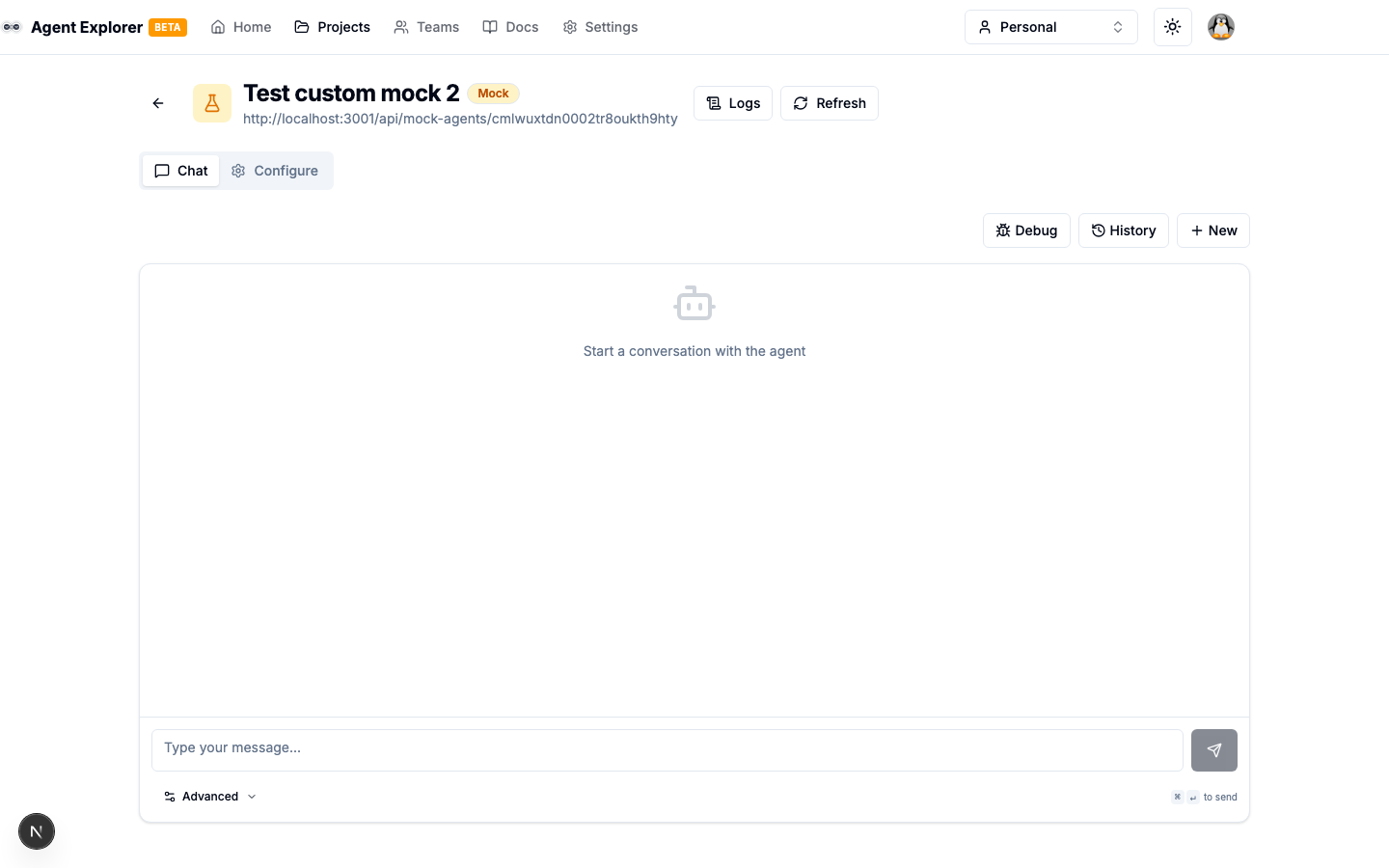
Starting a Conversation
- Open an agent from the Explorer
- Go to the Test tab
- Type a message and press Send or Enter
A new conversation is automatically created with a unique conversationId.
Conversation Context
Each subsequent message in a conversation automatically includes the context:
{
  "context": {
    "id": "conv-uuid"
  }
}
This allows the agent to maintain conversation state and reference previous messages.
Message Display
Messages are shown in chronological order with:
- Role indicator — "You" (user) or the agent's name
- Message content — Rendered text, data, or file indicators
- Timestamp — When the message was sent
- Task state badge — Current task state for each exchange
Task Status
Each conversation tracks the current task:
- State badge —
submitted,working,completed,failed,input-required, etc. - Task ID — The unique identifier for the current task
- Artifacts — Rendered output from completed tasks
Managing Conversations
| Action | Description |
|---|---|
| New Conversation | Start a fresh conversation (previous one is preserved) |
| Select Conversation | Load a previous conversation from the sidebar |
| Delete Conversation | Permanently remove a conversation and its messages |
Conversation History
All conversations for a project are listed in the sidebar. Click any conversation to load its full message history.
Streaming
When the agent supports streaming (capabilities.streaming: true), the UI receives SSE events and renders the response incrementally as the agent processes the request — including agents that token-stream their reply through interim working status messages. See Streaming for what Explorer reads from each frame type.
Push Notifications
You can configure a webhook URL in the Advanced Settings panel to receive real-time task updates via push notifications. When a webhook is configured, messages are automatically sent in non-blocking mode — the agent returns submitted immediately and delivers the final result to your webhook endpoint.
See Push Notifications for setup details and delivery observability.