Agents
An Agent in Agent Explorer is a connection to a single A2A agent (real or mock) and holds all conversations, logs, and configuration for that agent. The terms "Agent" and "project" appear interchangeably in some older docs and in the API path /api/projects — internally an Agent is a Project record, but the UI and the rest of these docs call them Agents.
Creating an Agent
- Open Explorer → Connect endpoint.
- Paste the base URL and click Check connection. Auto detect can identify either an A2A agent or an MCP server; select A2A agent to check only AgentCard discovery.
- Review the report and name, then click Connect and open Test. If authentication prevents discovery, choose the protocol and Connect without verification, then configure authentication.
Alternatively, Create or import → Import AgentCard accepts a JSON file and lets you connect to or mock that card. Create or import → Create mock agent opens blank mock creation with response presets and mock protocol versions.
Real-agent protocol versions are read from the AgentCard. Mock endpoint versions control which versioned endpoints a mock exposes; imported cards preselect their declared supported versions.
Agent Types
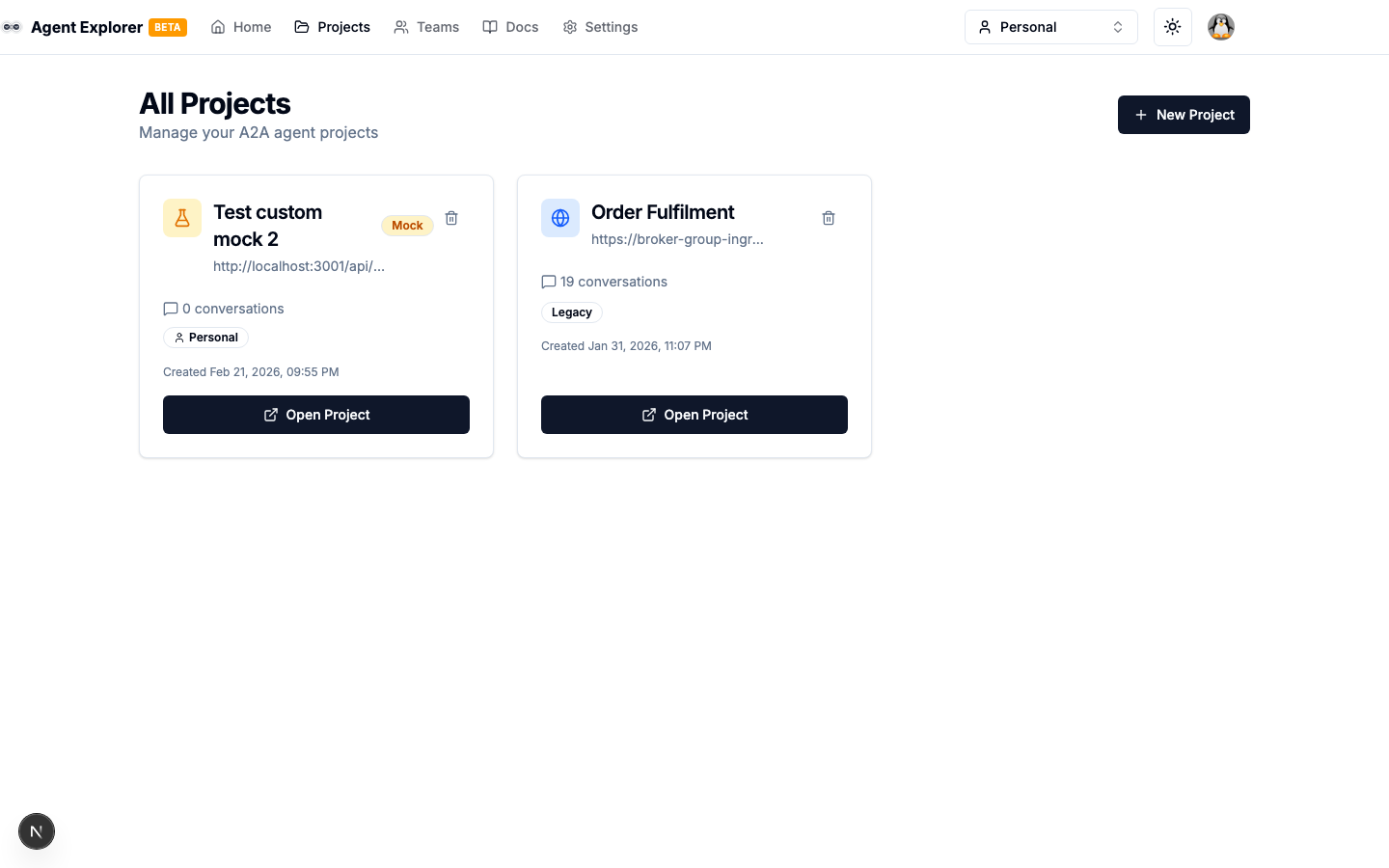
Agents are visually differentiated in the Agents column of the Explorer:
| Type | Icon | Description |
|---|---|---|
| External Agent | Globe icon | Connects to a real A2A agent |
| Mock Agent | Flask icon | Powered by a configurable mock agent |
Mock Agents display an amber Mock badge.
Agent Detail Page
Selecting an agent opens its detail page with tab navigation:
| Tab | Description |
|---|---|
| Agent Card | AgentCard details and validation status |
| Configure | Name, URL, headers, ownership, and (for mocks) skills, response behaviour, API keys |
| Test | Send A2A messages and watch task state in real time |
| Flows (mocks only) | Visual node-based response logic, per skill |
| Webhooks (mocks only) | Push-notification subscriptions and delivery log |
| Integrate | Code snippets for cURL, Python, TypeScript |
| Export tests | Preview or download Postman and curl tests |
| Activity (link at bottom of sidebar) | Full request/response history |
Agent URL Format
Enter the agent's base URL without the AgentCard path:
| Correct | Incorrect |
|---|---|
https://agent.example.com | https://agent.example.com/.well-known/agent-card.json |
http://localhost:3000/api/mock-agent | http://localhost:3000/api/mock-agent/message/send |
When the fetched AgentCard declares supportedInterfaces, Agent Explorer sends A2A requests to the matching JSONRPC interface URL — preferring the entry whose protocolVersion matches your selected protocol version — rather than the base URL you entered. If the card declares no usable interface, it falls back to the card's legacy top-level url, and finally to the base URL you entered. For A2A 1.0 agents that declare no JSONRPC interface at all, Explorer falls back to an HTTP+JSON (REST) interface when one is declared — REST requests use the spec paths (POST /message:send, GET /tasks/{id}, …) with Content-Type: application/a2a+json.
When an agent rejects a request with a version-related error — VersionNotSupportedError (-32009) or method-not-found (-32601) — the chat shows a banner offering a one-click switch to the other protocol version. Other A2A protocol errors appear inline in the conversation, prefixed with their spec error name (e.g. Error [TaskNotFoundError]: …).
Streaming
When an agent declares capabilities.streaming in its AgentCard, the chat streams responses live: a Stream toggle appears next to the settings-bar chips (on by default), and agent output renders incrementally as it arrives, and task-status updates drive the status chip in real time. Explorer reads reply content from every place the spec lets an agent put it: streamed artifact chunks append to the live bubble, text carried on interim working status messages renders token-by-token as it arrives, and a Task snapshot frame's artifacts or terminal status message are picked up as well — some agents send their whole reply only there. When an agent both token-streams its reply and restates it in a closing frame, the closing frame wins, so content is never rendered twice. Under the hood Agent Explorer speaks the version-correct wire method (SendStreamingMessage on v1.0, message/stream on v0.3) and normalizes both dialects' SSE frames server-side, so the browser always consumes one stable event format. If a streaming attempt fails before any events arrive, the message is retried automatically as a regular blocking send; if the connection drops mid-task, Explorer resubscribes to the task once (SubscribeToTask / tasks/resubscribe) to pick up the final state. Mock agents stream genuinely incremental frames, making them a realistic test bed for streaming clients.
Agent Actions
- Refresh AgentCard — Re-fetch the AgentCard (useful after agent config changes)
- Delete Agent — Permanently removes the agent, all conversations, logs, and cached AgentCard
Ownership
Agents can be personal (owned by you) or team-owned (shared with team members). The owner is shown as a badge on each agent card.
Managing Multiple Agents
Create a separate agent for each A2A endpoint you want to test. Group related ones into a Workspace for organisation (optional).